Messaging rules
Your governance, configured. Not a fork of the product.
Who may start a conversation with whom is a policy question, and it is yours to answer. AngelLink turns that answer into configuration — per tier, per role, per country, per chapter — set up at onboarding rather than built per client.
- conversation tiers
- 3
- cells per scope
- 75
- scopes a rule can live at
- 3
- cells nobody can move
- 5
The unit of configuration
One cell: for this kind of conversation, may this role reach that role?
Not a preset, and not a plan you pick from. Five sender roles by five recipient roles, across three kinds of conversation — one-to-one, group, and announcement. Seventy-five decisions, each of them yours, each of them the same size.
- What it is
- A permission grid per conversation tier. Rows are who is sending, columns are who they are sending to, and a switch is one answer to one question.
- Why that is unusual
- Most platforms ship two or three named plans. A plan is somebody else’s guess at your governance — and the day it does not fit, the answer is a custom build with your name on it.
- What it saves you
- Your safeguarding policy goes in as it is written, and you stay on the same product as every other client. Our fixes reach you the week we make them.
One-to-one · as shipped, before any configuration
| From ↓ / To → | Owner | Supervisor | Leader | Young person | Guardian |
|---|---|---|---|---|---|
| Owner | Owner to Owner: permitted by default, and your organization may change it | Owner to Supervisor: permitted by default, and your organization may change it | Owner to Leader: permitted by default, and your organization may change it | Owner to Young person: permitted by default, and your organization may change it | Owner to Guardian: permitted by default, and your organization may change it |
| Supervisor | Supervisor to Owner: permitted by default, and your organization may change it | Supervisor to Supervisor: permitted by default, and your organization may change it | Supervisor to Leader: permitted by default, and your organization may change it | Supervisor to Young person: permitted by default, and your organization may change it | Supervisor to Guardian: permitted by default, and your organization may change it |
| Leader | Leader to Owner: permitted by default, and your organization may change it | Leader to Supervisor: permitted by default, and your organization may change it | Leader to Leader: permitted by default, and your organization may change it | Leader to Young person: permitted by default, and your organization may change it | Leader to Guardian: permitted by default, and your organization may change it |
| Young person | Young person to Owner: permitted by default, and your organization may change it | Young person to Supervisor: always permitted — locked by AngelLinkAlways | Young person to Leader: permitted by default, and your organization may change it | Young person to Young person: always refused — locked by AngelLinkNever | Young person to Guardian: refused by default, and your organization may change it |
| Guardian | Guardian to Owner: permitted by default, and your organization may change it | Guardian to Supervisor: permitted by default, and your organization may change it | Guardian to Leader: permitted by default, and your organization may change it | Guardian to Young person: always refused — locked by AngelLinkNever | Guardian to Guardian: refused by default, and your organization may change it |
Scroll the grid sideways to reach the Young person and Guardian columns.
- Permitted — yours to change
- Refused — yours to change
- Always or Never — locked by AngelLink, at every scope
These rules decide who may start a conversation. They do not decide who can read one — every conversation is visible to the approved leaders of the young person’s chapter, and nothing on this screen changes that.
Permission is necessary, never sufficient. Consent, curfew, chapter scope and suspension are separate gates and all of them still apply.
Group
Owners, supervisors and leaders run groups. Young people and guardians do not start one.
Switch every cell off and the tier stops existing for your organization — the interface says so, rather than offering a button that fails.
Announcement
Owners and supervisors post. There are no replies.
A leader cannot address every young person in the organization, and a young person cannot address the organization at all. Both cells are locked.
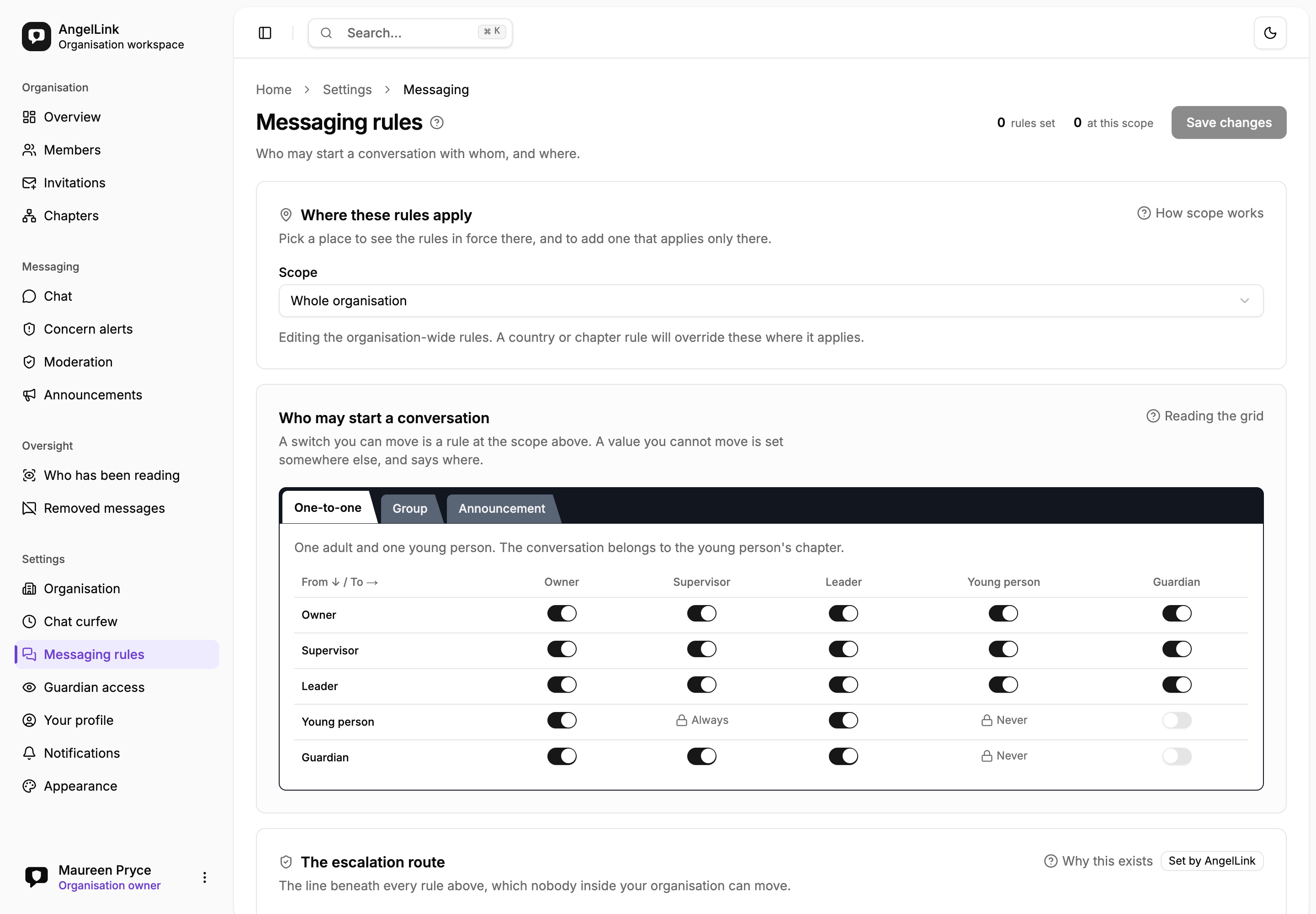
- A grid of who may start a conversation with whom — every pair stated, none left implied.
- Switches the organization sets for itself, on the pairs it is allowed to decide.
- Padlocked cells, set by AngelLink, which an organization cannot open for itself.
Where a rule applies
“You can do this in Quebec but not Ontario” is a configuration, not a project
A national organization does not have one messaging policy. Law differs by country, a pilot chapter runs ahead of everyone else, and a chapter under review is narrowed while nothing else changes. Every rule therefore carries the place it applies.
- What it is
- Every rule is scoped: the whole organization, one country, or one chapter and — unless you say otherwise — everything beneath it.
- Why that is unusual
- A single org-wide grid forces every regional difference through the same door: “we will build you a variant”. Four countries and one pilot then means five variants of your platform.
- What it saves you
- One tenant, one configuration, and regional difference expressed where it belongs. Nobody waits on an engineer to open group messaging for one chapter.
A chapter beats everything below it
One chapter, and — unless you say otherwise — everything beneath it. A pilot, a region that works differently, one group that needs a temporary change.
A country beats organization-wide
Every chapter recorded in it. This is where a rule belongs when it follows the law rather than local practice, alongside consent ages, curfews and public holidays, which are already resolved per country.
The whole organization beats the shipped default
Everywhere you operate. Start here — most organizations need nothing else.
AngelLink’s default what you get on day one
A working grid before anybody configures anything. An organization that changes nothing behaves exactly as the product ships.
Supported configuration, not a custom build
Close group messaging across one country and open it again for a single pilot chapter, without touching anything else, and without a release.
Whose chapter a rule is matched against
The young person’s, always. A one-to-one conversation belongs to the young person, not to the adult — so a rule for Quebec applies to a Montreal youth talking to a leader who happens to sit in Ontario. Safeguarding follows the child.
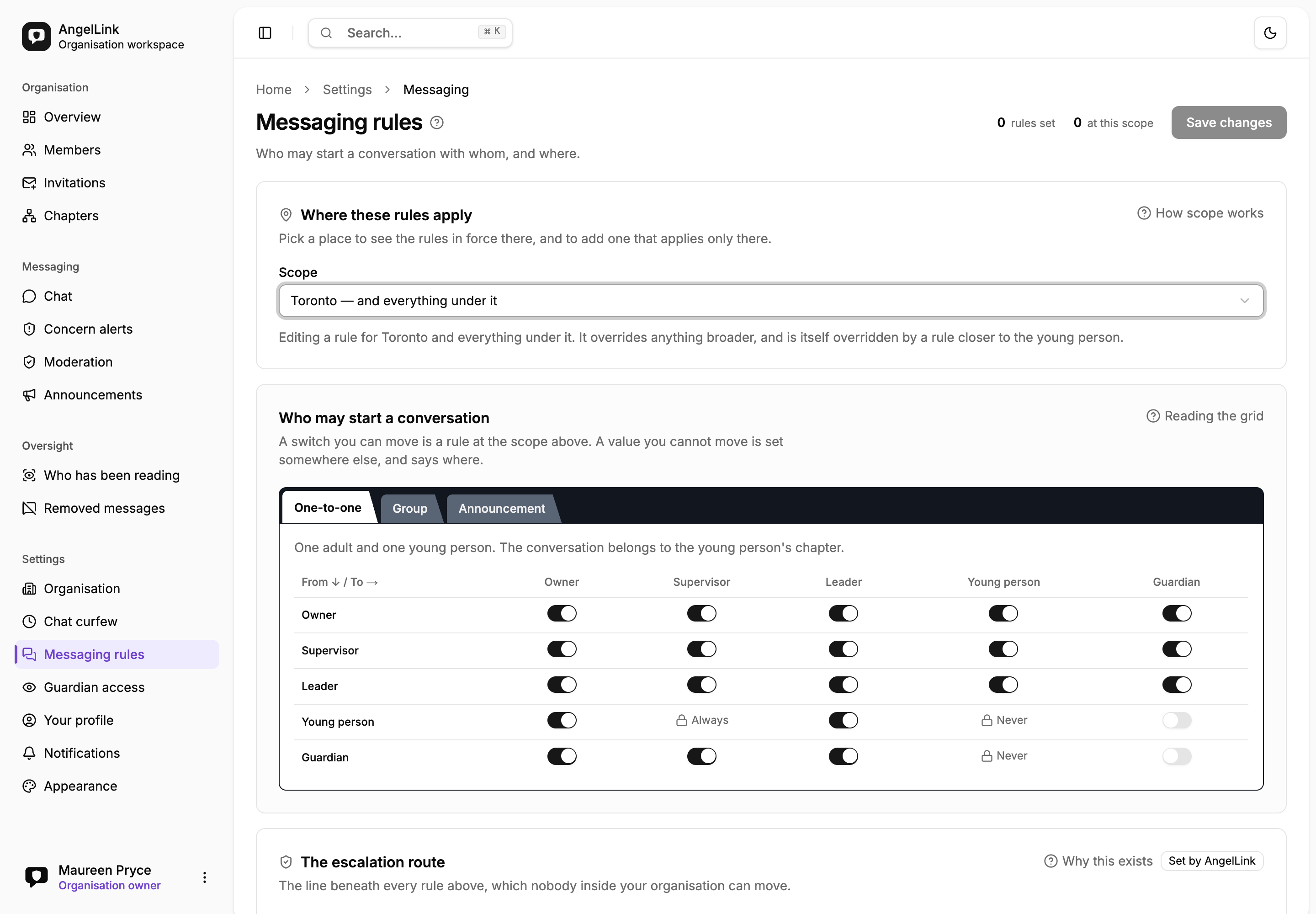
- The scope picker, set to one chapter and everything beneath it.
- A sentence stating what this rule overrides, and what would override it in turn.
- Which means a national default can stand while one province tightens its own.
Precedence is distance, not order in a list. That is the only rule a person can predict without reading the whole configuration — and being predictable matters more here than being clever, because somebody narrowing one chapter has to be certain they have not just changed the country.
The floor beneath it
One route we will not let you close
Your organization sets its governance. AngelLink sets the floor underneath it — and a tenant can never reduce its own oversight, whoever asks.
The adult a young person most often needs to report is the leader of their own chapter.
You may widen the route as far as you like — up to and including the organization owner. You may narrow it down to, and never through, one adult above the young person’s own chapter. If the route points at the wrong layer for how your organization is structured, ask us and we will move it. It cannot be removed.
Every configuration on this page is yours. This one is not. Whatever else your organization decides, a young person can always reach at least one adult above their own chapter — normally a supervisor, or the owner where there are no supervisors. AngelLink sets it. Nobody inside your organization can switch it off, including the owner.
A product that let an organization close that route would leave a young person able to raise a concern only with the person the concern is about. That is the exact situation this platform exists to prevent, so it is not something anyone can configure their way into — by accident or otherwise.
- What it is
- A young person’s route to an adult above their own chapter is platform-tier. It can be pointed at a supervisor or at the owner. It has no “off”.
- Why that is unusual
- Almost every configurable platform makes safety a setting, which means the customer owns the consequences of switching it off — usually without realising they have.
- What it saves you
- Your board, your insurer and the parent asking hard questions all get the same answer, and it is not one you had to remember to configure.
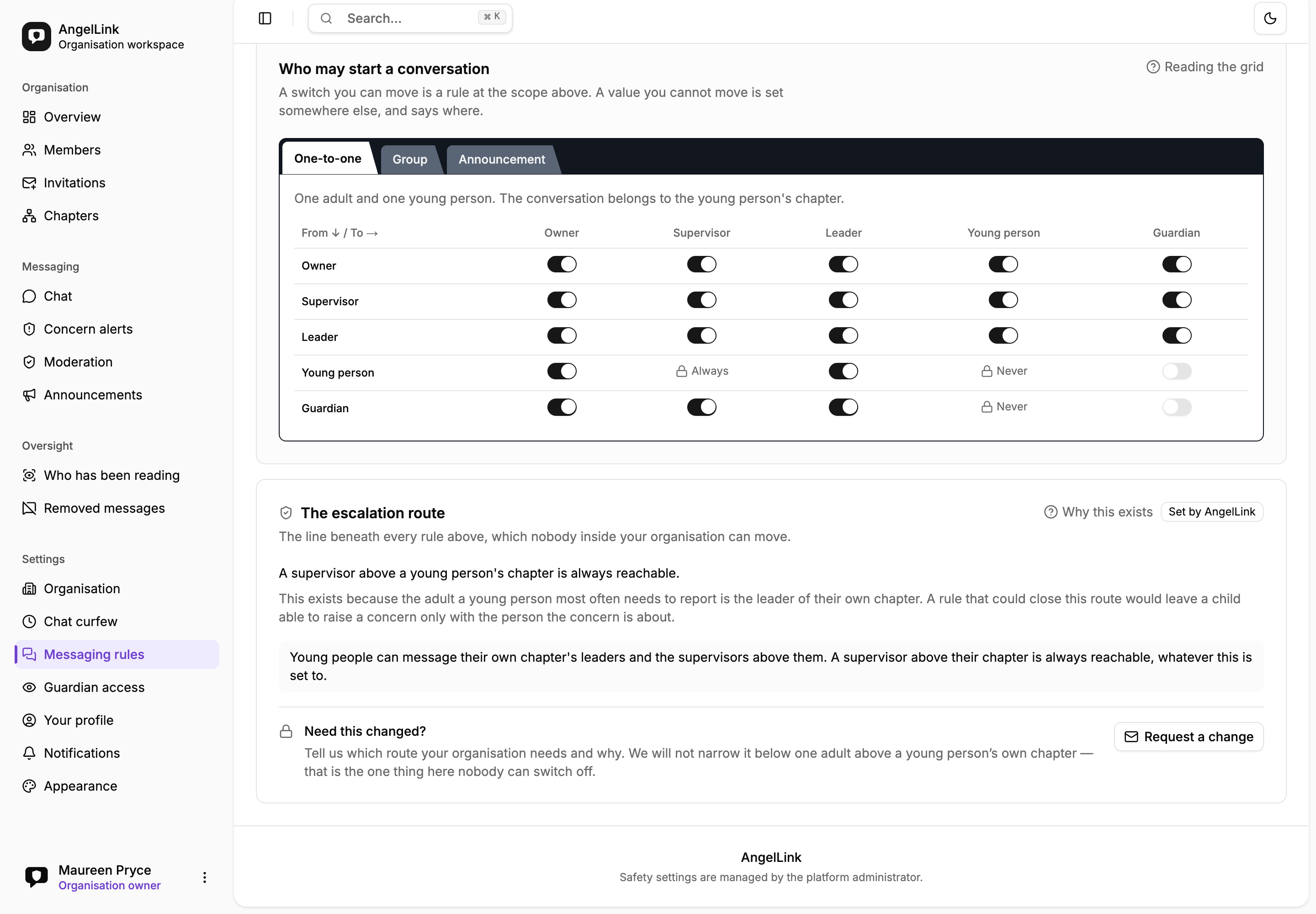
- Marked “Set by AngelLink”, sitting in the same card as the switches that are not.
- The guarantee itself — a supervisor above the young person’s chapter is always reachable.
- And the reason, written on the card: the adult to report may be their own leader.
Five cells of the seventy-five, locked at every scope
One-to-one
A young person → a supervisor
Always permitted
A young person must always be able to reach a supervisor. The adult they most often need to report is the leader of their own chapter, and an organization that could close this route would leave a child able to raise a concern only with the person it is about.
One-to-one
A guardian → a young person
Always refused
A guardian reaching a young person through this platform is precisely what it exists to prevent. Their own child is not a conversation this product needs to host, and hosting it would put a channel to a child behind a login the child’s organization did not issue.
One-to-one
A young person → a young person
Always refused
Every conversation here is between a young person and an accountable adult, which is what makes the oversight meaningful.
Announcement
A young person → young people
Always refused
Announcements are posted by staff. A young person cannot address the organization.
Announcement
A leader → young people
Always refused
An organization-wide announcement reaches every young person in the organization, including those a leader has no accountability for. It stays with supervisors and the owner.
Five, on purpose. A floor that forbids everything interesting is a product nobody can configure — and configuring it rather than forking it is the whole point of this module.
At onboarding
Configured in a session, not scoped as a project
Your tiers, your grids, your scopes and your reach policy are set when your organization is brought on board. There is no branch, no variant, and no separate release train with your name on it.
- What it is
- The messaging module is turned on and set up per client, from the same screens your own owner will use afterwards.
- Why that is unusual
- Because the configuration is data rather than code, the person who knows your safeguarding policy can correct it themselves. No ticket, no deploy.
- What it saves you
- You are never a fork. Every safeguarding improvement we ship reaches you on the day it ships, and your configuration survives it.
Every change is attributable
Safety-critical settings are saved explicitly, with a confirmation, and audited in the same transaction as the change.
A refusal is never silent
An override that tries to move a locked cell is rejected out loud. A setting that quietly refuses to hold is worse than one that says no.
The screen and the server agree
One resolver decides both what the grid draws and what the send path permits — so nothing is offered that would then be refused.
Readable by everyone it governs
Anyone in your organization can read these rules. Only the owner can change them.
Chat curfew
When conversations open and close, and whose clock decides. A separate gate — a permitted conversation still cannot send outside its hours.
Guardian access
What a parent can see, and what they cannot. A guardian never messages a young person here, and that cell is one of the five locked.
The three tiers
One-to-one, group, announcement — what each is for, and why there is nothing beyond them.
Request access
Bring us your governance policy
Not a list of the features you want — the rules you already operate under. If they fit in the grid, and they almost always do, that is your configuration.